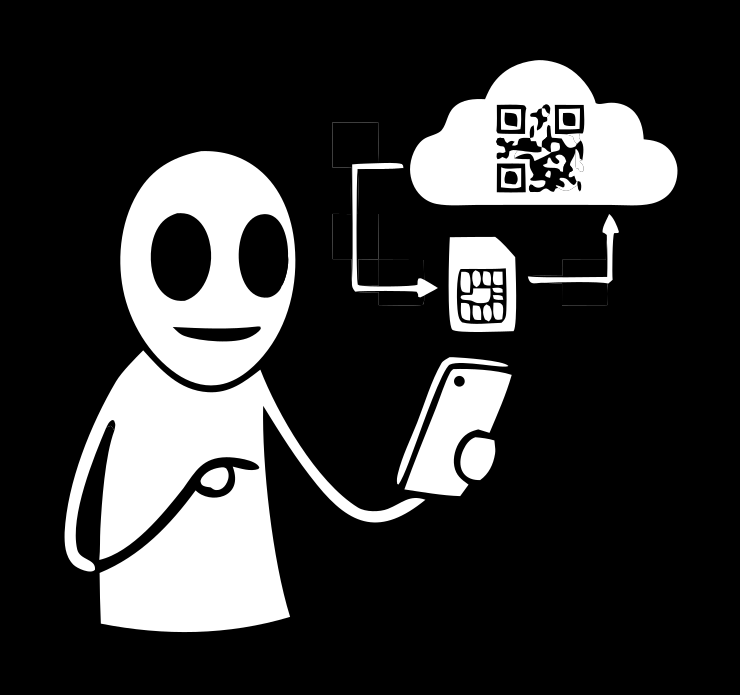
Buying an eSIM online takes a few minutes — no shop, no plastic SIM. The only real work is choosing: there are a lot of plans, prices depend on the country and data, and payment options vary between providers. Here's the order to do it in — pick a plan, see the price, pay, and activate right after.
What you need to buy an eSIM
Just two things:
- A phone that supports eSIM. Most modern smartphones do, but not every model — check the specs before you pay, so you don't buy a plan you can't install.
- An account with the provider. With Freeland, you create one via Telegram, email or a crypto wallet, and the plan catalogue and your purchased profiles live in the app.
Nothing else — no passport, no office visit, no carrier's plastic SIM.
How to choose a plan
Price comes down to three things, and choosing is easier if you go through them in order:
- Geography. One country → a country plan (best per-gigabyte value). Several countries → a regional plan. Frequent hopping → a global plan covering up to 130 countries.
- Data amount. Maps, messaging and email need little; video, navigation and working on the road need more, so buy with headroom.
- Validity. A plan runs for a set time — match it to your trip length so you don't pay for extra days.
If data runs out before the plan expires, you can often top up the same profile — provided a compatible plan exists for it.
How much an eSIM costs
There's no single price: it's dynamic, based on country and data. In the catalogue, plans start from 0.43 USDT, and the total is shown before you pay — you're charged exactly for the plan you pick, with no subscription fee and no hidden extras. It's usually much cheaper than home-carrier roaming, which is the whole reason people buy an eSIM in the first place.
How to pay
You can pay for a Freeland eSIM any way that suits you:
- an eligible card or transfer method when shown in checkout;
- crypto (USDT);
- The methods you can use depend on the product and your account, so the app shows what's available before you pay. For crypto you top up your balance first and pay from it; Stars act as a secondary balance and appear only when checkout offers them.
Paying with crypto is handy if you already hold USDT and would rather not use a card — you choose the method, not the other way round.
How to buy and activate: step by step
- Create an account with Freeland — via Telegram, email or a crypto wallet.
- Open the catalogue and choose a plan by country, region or a global plan.
- Pay from your balance — the app shows the methods your account supports at checkout.
- Get the QR code — it appears in the app with the validity and data allowance.
- Install the profile by QR code and turn on data roaming.
Full install walkthrough for iPhone and Android — in how to install an eSIM.
eSIM vs a physical SIM: which to buy
If your phone supports a built-in SIM, it's almost always the easier buy for travel:
| eSIM | Physical carrier SIM | |
|---|---|---|
| Where to buy | online, in minutes | a shop, with ID |
| Your number | stays active | swap the tray or change number |
| Several countries | one regional plan | a new SIM in each country |
| Risk of losing it | a profile in the phone | easy to misplace the card |
A physical SIM only wins when you need a local number for a long stay. For trips and short visits, buying an eSIM is quicker.
When to buy: ahead or on arrival
Ahead. You can install the profile at home over Wi-Fi and switch it on when you land, so you have data from the first minute. Activation usually takes a few minutes but isn't always instant — in some countries and networks it takes longer, and a carrier may run an extra check. Leave a little buffer and don't leave the purchase to the last moment. Why an eSIM is worth it on a trip — in eSIM for travel.
Common mistakes when buying
To avoid wasting money, sidestep the usual slip-ups:
- Buying without checking phone support. The profile only installs on a compatible device — check the specs first.
- Too short a validity. A plan runs for a set time; match it to your trip.
- Underestimating data. Video and navigation burn through it — buy with headroom.
- Leaving it to the last minute. Activation isn't always instant, so buy ahead, at home.
Can you return or exchange a plan
Honestly: a digital plan isn't like a boxed product. Once a profile is activated and you've started using data, it can't be returned — the same as an opened carrier SIM. So it pays to choose well the first time: check phone support, the country and the data amount. If something is wrong technically — the profile won't install, or won't go online with roaming on — your order status is in the app, and it's worth contacting support about that specific case rather than buying again blindly.
FAQ
Where do I buy an eSIM online?
In the Freeland app: pick a plan from the catalogue, pay your way, and get a QR code to install.
How much does an eSIM cost?
It's dynamic, based on country and data. In the catalogue, plans start from 0.43 USDT, with the total shown before payment.
Do I need ID to buy one?
No. An account is enough; there's no document upload or office visit.
Can I pay with crypto?
The methods you can use depend on the product and your account, so the app shows what's available before you pay. For crypto you top up your balance first and pay from it; Telegram Stars act as a secondary balance and appear only when checkout offers them.
Does the eSIM activate right after purchase?
Usually within minutes, but not always instantly. In some countries activation takes longer while the carrier runs a check.
Can I top up when data runs out?
Often yes — the same profile tops up if a compatible plan exists. Otherwise you buy a new plan for the same country and can remove the old profile.
Buying an eSIM is a matter of choosing a plan, paying your way, and installing by QR code. Freeland eSIM sets up in minutes, with plans from 0.43 USDT.